Donations
Let members give to your association’s funds, inside the community.
- Once or every month, any amount
- Paid into your own Stripe account
- No fee from One Roof

Step by step
How it works
From opening a fund to seeing every gift.
Step 1
Open a fund
Give it a name, say what it pays for, and add a goal and suggested amounts if you want them.
Step 2
Members give
They pick a suggested amount or type their own, once or every month, then pay at Stripe’s checkout. The money goes to your Stripe account.
Step 3
Givers are thanked
Each gets a thank-you email once Stripe confirms the payment, with your note included.
Step 4
You see every gift
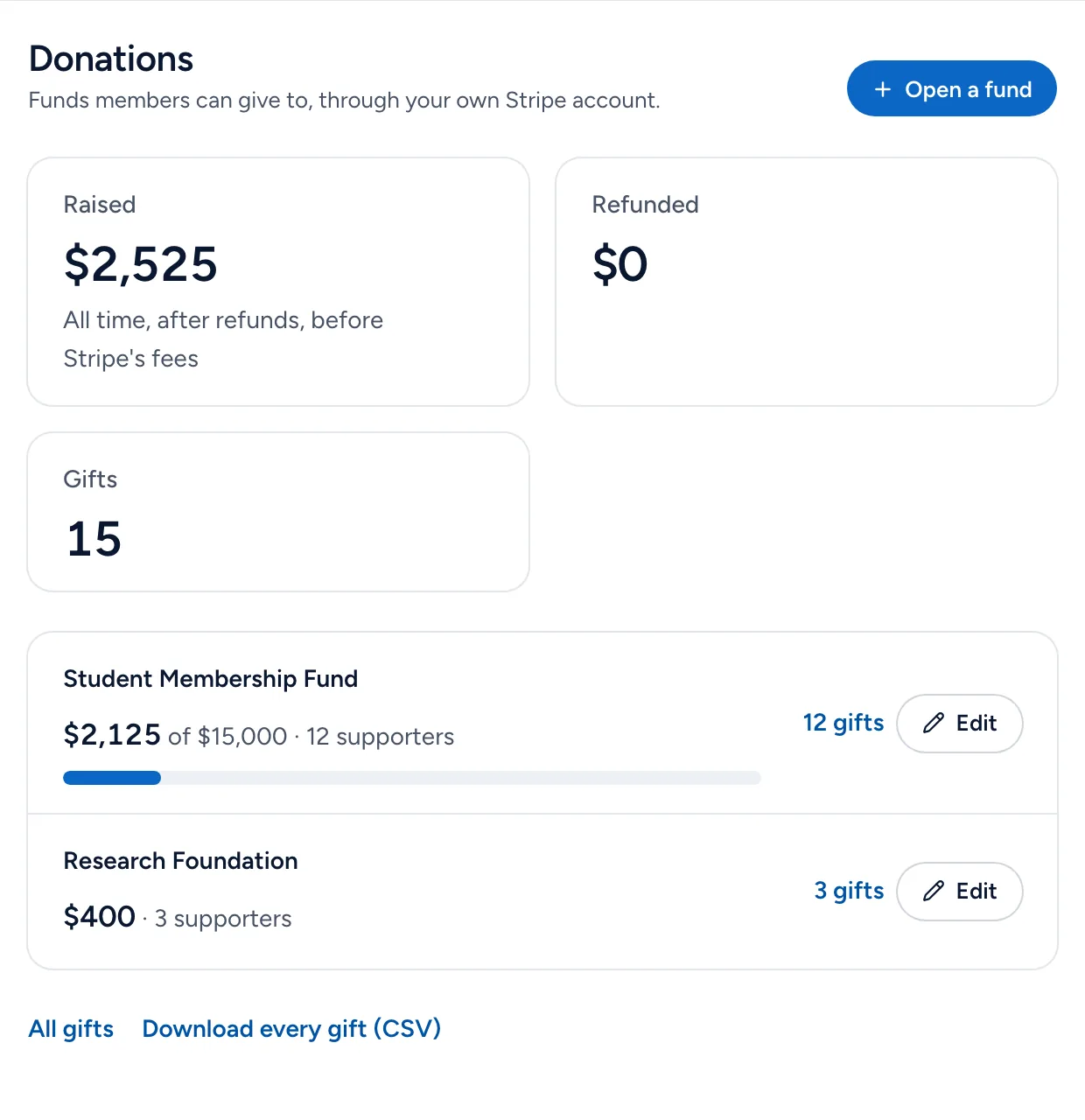
See who gave, how much and to which fund, including refunds, and download the list.
Giving where members already are
Members give inside the community they already use. They choose an amount, once or every month, and pay at Stripe’s checkout, so there is no separate giving site to send them to.
A thank-you, sent for you
As soon as Stripe confirms a gift, the giver gets a thank-you email. You can add your own note to it, such as your charity status and that nothing was given in return.
A record you can rely on
Every gift is recorded with who gave it. A fund’s total is the money Stripe actually received, minus refunds. You can download every gift for your accounts.
For members
Give once or every month, with or without a name
Each fund has a page showing what it pays for, how close it is to its goal, and who has given. Members pick an amount, choose to give once or every month, and pay at Stripe’s checkout. Stripe takes a monthly gift on the same day each month until the member stops it. They can stop it, or change their card, from the fund’s page. If they would rather not be named, one tick keeps their name off the page. Your staff still see who gave, for your records.
- Suggested amounts, or any amount they type
- Once, or every month until they stop it
- The choice to give without being named
For your staff
Every fund and every gift in one place
Open and close funds, see what each has raised and how much comes in each month from monthly gifts, and refund a gift in full in one step. Refunds you make in your Stripe dashboard show up here too. Download every gift as a file for your accounts or your donor system.
- What each fund has raised, after refunds
- Monthly gifts, and what they bring in each month
- Every gift as a CSV file
See it with your own association’s name on it
We set up a demo for you and answer your questions. Or open the live demo and look around on your own.
In detail
What is included
Funds
A goal
Shown as a progress bar on the fund’s page, or leave it out.
Suggested amounts
Up to six. Members can also type their own.
Members or anyone
Open a fund to the public, and anyone with the link can give.
Monthly giving
Members can give the same amount each month, and stop at any time.
The money
Your own Stripe account
Gifts are paid straight into it, with no fee from One Roof.
Refunds
Refund a gift in full here, or part of it in Stripe.
Anonymous gifts
Not shown on the fund’s page, but kept in your records.
Export
Every gift, with who gave it, as a CSV file.
Does One Roof take a fee on donations?
No. Gifts are paid into your association’s own Stripe account, and you pay only Stripe’s standard fees.
Who can give?
Members signed in to the community, and anyone else if you open a fund to the public. People who are not members give their name and email at Stripe’s checkout, and their names are never shown on the fund’s page.
Can members give every month?
Yes. Members choose to give once or every month. Stripe takes a monthly gift on the same day each month until the member stops it from the fund’s page, where they can also change their card. People who are not members give once. You can turn monthly giving off for any fund.
What happens to monthly gifts when a fund closes?
They stop, and each giver is told. What they gave stays in the fund’s total.
What does a giver receive?
A receipt from Stripe, and a thank-you email from your community. The email includes the note you wrote for the fund, such as your charity status and that nothing was given in return.
Can a gift be refunded?
Yes. Refund a whole gift in one step, or part of it in your Stripe dashboard. Either way it comes off the fund’s total, and the giver is told.
Can we switch donations off?
Yes. Donations are off until an administrator turns them on, and can be turned off again at any time. Your funds and their totals stay.