Discussions and Q&A
Every question reaches the members who can answer it.
- Earlier answers suggested
- Experts asked by name
- Answers marked as accepted

Questions get answered
An unanswered question is sent to members with the right expertise, asking them to help.
Fewer repeat questions
While a member is typing a question, discussions that already answer it are shown. That keeps old answers useful and spares your regular members the same question every month.
Members can take part by email
Members get an email digest of what they follow, as often as they choose. Where reply by email is set up, they can answer a discussion by replying to the email.
Step by step
How a question gets answered
From the first words typed to the answer that solved it.
Step 1
A member starts typing
Discussions that may already answer the question appear under the title, before it is posted.
Step 2
It is posted to the right space
Its topics bring it to the people who follow that subject. In spaces where you allow it, a member can post anonymously.
Step 3
Experts are asked when nobody replies
Members whose expertise matches are asked by name whether they can help.
Step 4
The asker marks the answer
The reply that solved it is shown first from then on, for everyone who finds the thread later.
AI, built in
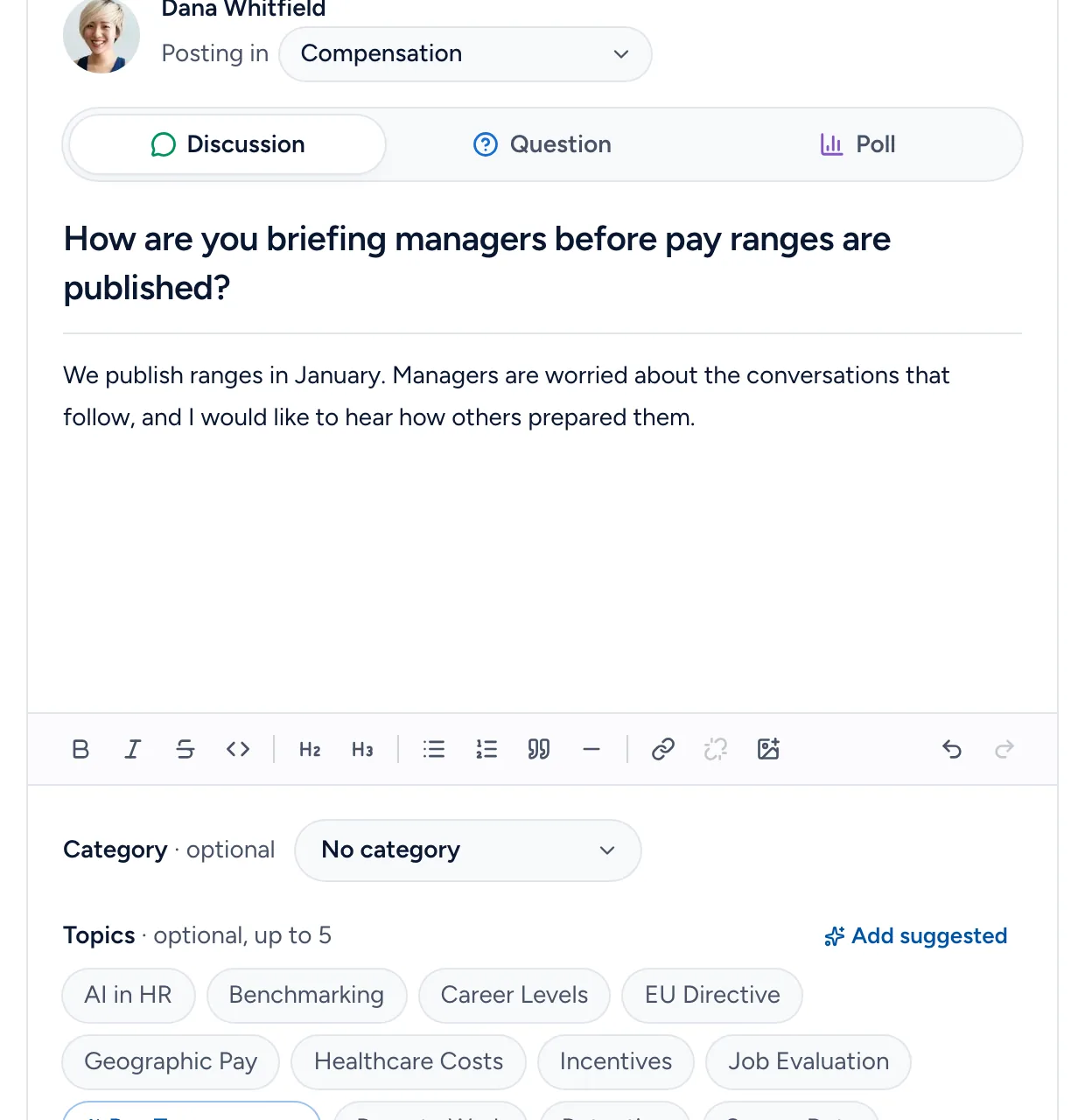
AI helps while a member writes
As a member types a question, AI reads it and helps before it is posted. It suggests the right space and topics, finds earlier discussions that ask the same thing in different words, and points out a title that is too vague. For a sensitive question, it reminds the member they can post anonymously.
- Suggests the space and topics for the post
- Finds the same question asked in other words
- Suggests posting anonymously when the subject is sensitive
The thread
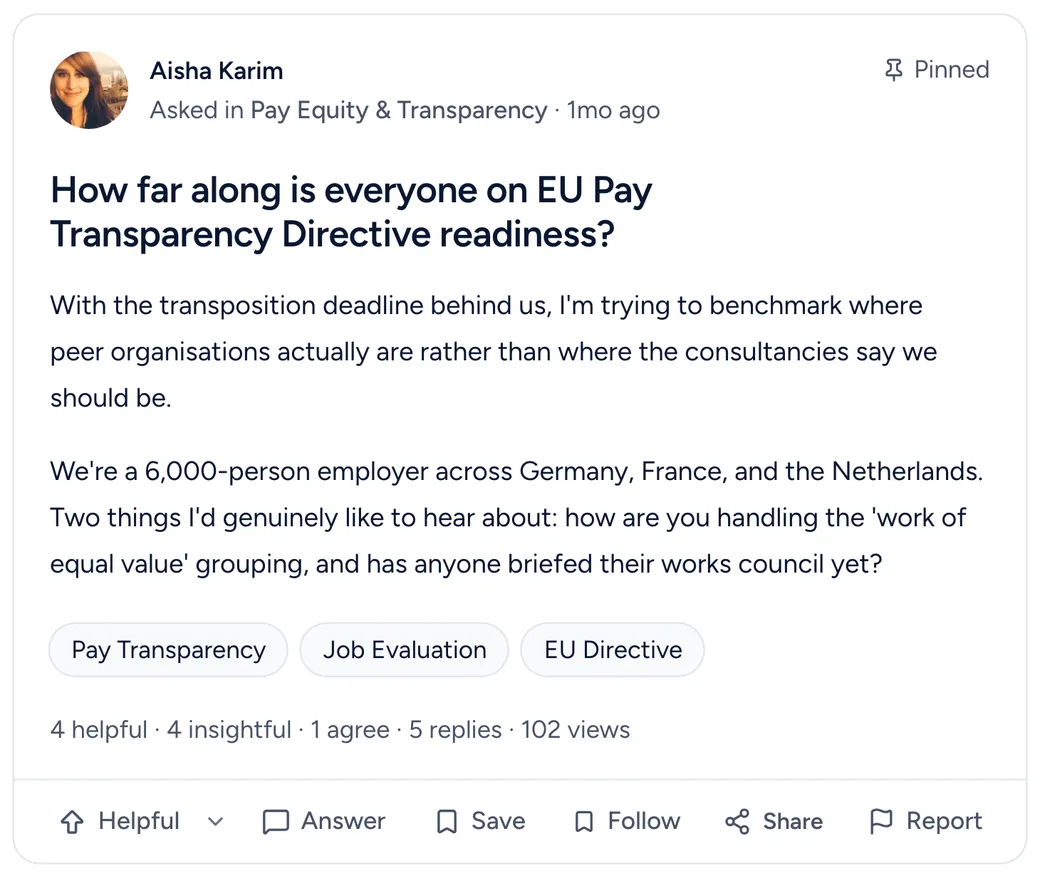
Discussions that are easy to read
The accepted answer is shown at the top, and each reply shows who wrote it and where they work. A member can mark a reply as helpful, save the discussion, or follow it to hear about new replies.
- Accepted answer first, for anyone who arrives later
- Three reactions: helpful, insightful, agree
- Save a thread, or follow it for replies
Reply by email
Answer a discussion without opening the site
When someone replies to a member, the member gets an email. With reply by email set up, they can answer by replying to that email, and their answer is posted in the discussion under their name. Old quoted text and email signatures are removed, and the answer goes through the same moderation as any other post.
- Reply to a discussion from your inbox
- Start a new discussion by emailing a space
- Accepted only from the member’s own email address
Looking after it
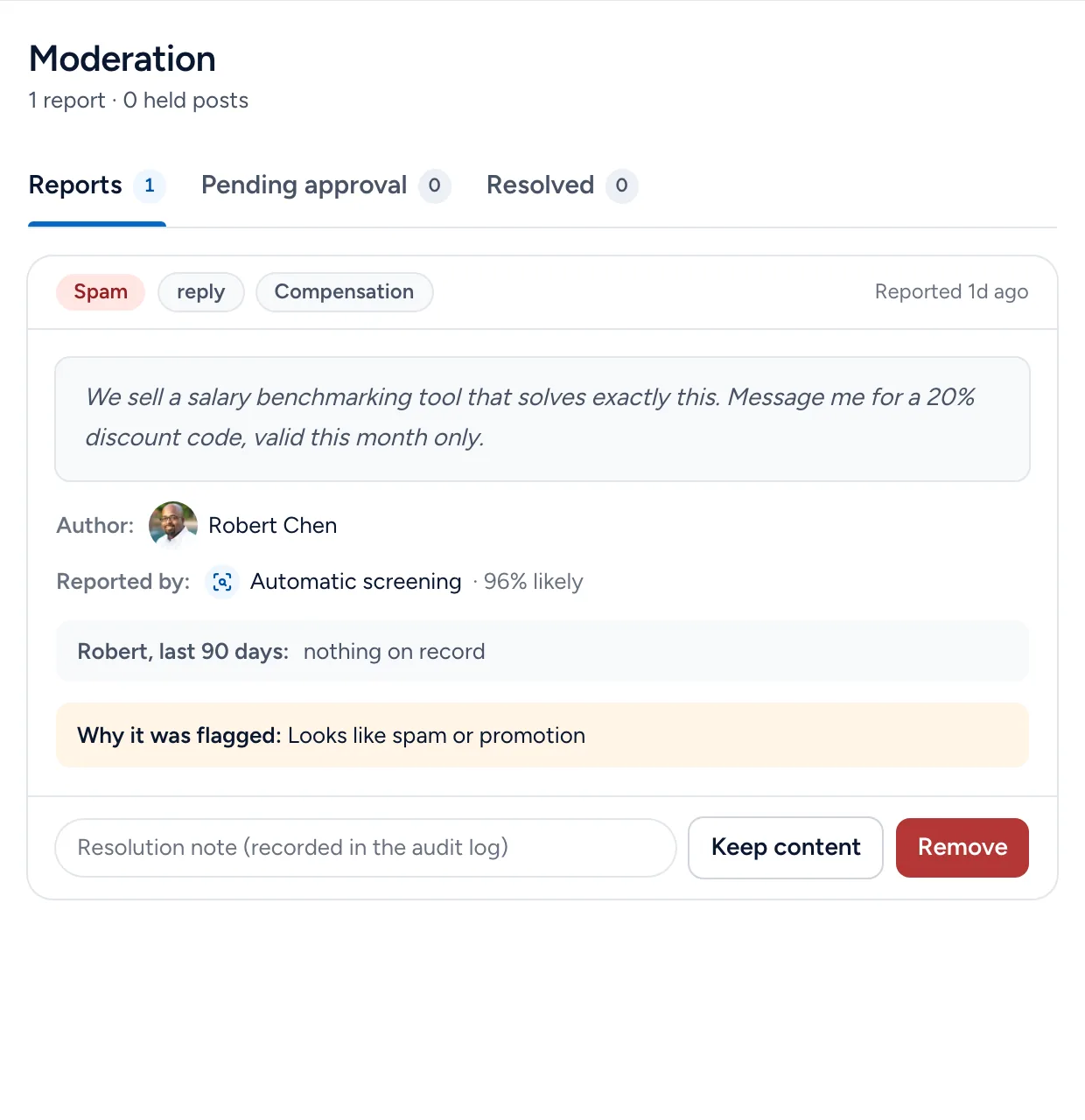
Moderation decided by people
Members can report a post, and a member’s first post can wait for approval. AI checks each new post for spam, abuse, personal details and confidential information, and holds doubtful ones for a moderator to read. Every decision is recorded with a reason, and nothing is removed automatically.
- Reports and held posts in one queue
- First-post approval, by space
- Warnings and suspensions, each with a reason on record
See it with your own association’s name on it
We set up a demo for you and answer your questions. Or open the live demo and look around on your own.
In detail
What is included
For members
Spaces and topics
Discussions are organised by space, with topics members can follow.
Anonymous posting
Members can ask a sensitive question without their name, in the spaces where you allow it.
Reply by email
Once it is set up, answer a discussion or start one from your inbox.
Saved and followed
Keep a thread to come back to, or be told when it has a new reply.
Keeping it active
Experts asked
Unanswered questions are sent to members with matching expertise.
Recognition
Accepted answers and other contributions earn points and ribbons, at values you set.
Moderation
Members can report a post, a first post can wait for approval, and moderators work from a queue.
Digests
Each member chooses a daily, weekly or monthly digest.
AI built in
Space and topics
Both are suggested from what the member wrote, to accept or change.
Asked before
Earlier discussions on the same problem are shown, even when the words differ.
The right experts
Unanswered questions are matched to members by what the question means.
Post screening
Posts that look like spam or abuse, or that contain personal details or confidential material, are held for a moderator to read.
More than a forum
A forum stores what is posted. A professional community also has to make sure questions get answered.
A question nobody answers
A general-purpose forum
Drops down the page
One Roof
Sent to members with the right expertise
A question asked before
A general-purpose forum
Asked again
One Roof
The earlier answer is offered while typing
Who is answering
A general-purpose forum
A username
One Roof
A colleague, with their employer and expertise
Who may read it
A general-purpose forum
Everyone, or one group
One Roof
By member type, chapter or committee, from your membership system
Sensitive questions
A general-purpose forum
Not asked
One Roof
Asked anonymously, where you allow it
Which parts of discussions use AI?
AI helps in four places:
- While a member writes: it suggests the space and topics, finds earlier discussions on the same question, and suggests posting anonymously if the subject is sensitive.
- When a question has no answer: it is matched to members with the right expertise.
- When replies arrive: the person who asked is shown the reply most likely to answer them, so they can mark it as the answer.
- When a post is made: it is checked for spam, abuse and personal details, and held for a moderator if it is doubtful.
AI never posts, answers or removes anything in a discussion.
How does a question reach someone who can answer it?
Members list their expertise on their profile. A question that has had no answer is sent to members whose expertise matches its topics, with a request to help. Nobody is asked too often.
Can members post anonymously?
Yes, in each space where you allow it. An anonymous post shows no name to other members, and the member is not named in webhooks either.
Can a member reply by email?
Yes, once it is set up. It needs an address for incoming mail with your email provider, which we set up with you during onboarding. A reply to a notification email is then posted in the discussion under the member’s name. Replies are accepted only from the member’s own address, and attachments are not kept. A member can also start a discussion by emailing a space.
Who moderates?
Your own moderators. Members can report a post, a first post can be held for approval, and doubtful posts are held for a moderator to read. Every decision is recorded with a reason.
Can a space be private?
Yes. A space can be open to all members, limited to paying members, or private to a chapter or committee.
Can we bring our existing discussions with us?
Yes. Moving your existing discussions, with their authors and dates, is part of getting started.