Recognition
Thank the members who help others, with points, ribbons and a leaderboard.
- Points for helping others
- Ribbons earned automatically
- Members can opt out

Helpful members get noticed
Points and ribbons show which members help most, on their profile and on the leaderboard.
You decide what counts
Set how many points each kind of contribution earns, or switch one off. An accepted answer can be worth far more than a quick reply.
Hard to game
Members earn nothing for reacting to their own post, accepting their own answer or downloading their own file. Points for a post are taken back if the post is removed.
Step by step
How it works
Points and ribbons follow from what members already do.
Step 1
A member contributes
They post, reply, share a file, or give the answer that solved a question.
Step 2
Points are added
Each kind of contribution has a value you set.
Step 3
Ribbons are earned
For a first post, a first accepted answer, or a points total. The member is told.
Step 4
The leaderboard updates
For this month, this quarter, this year or all time.
Points
Rules you control
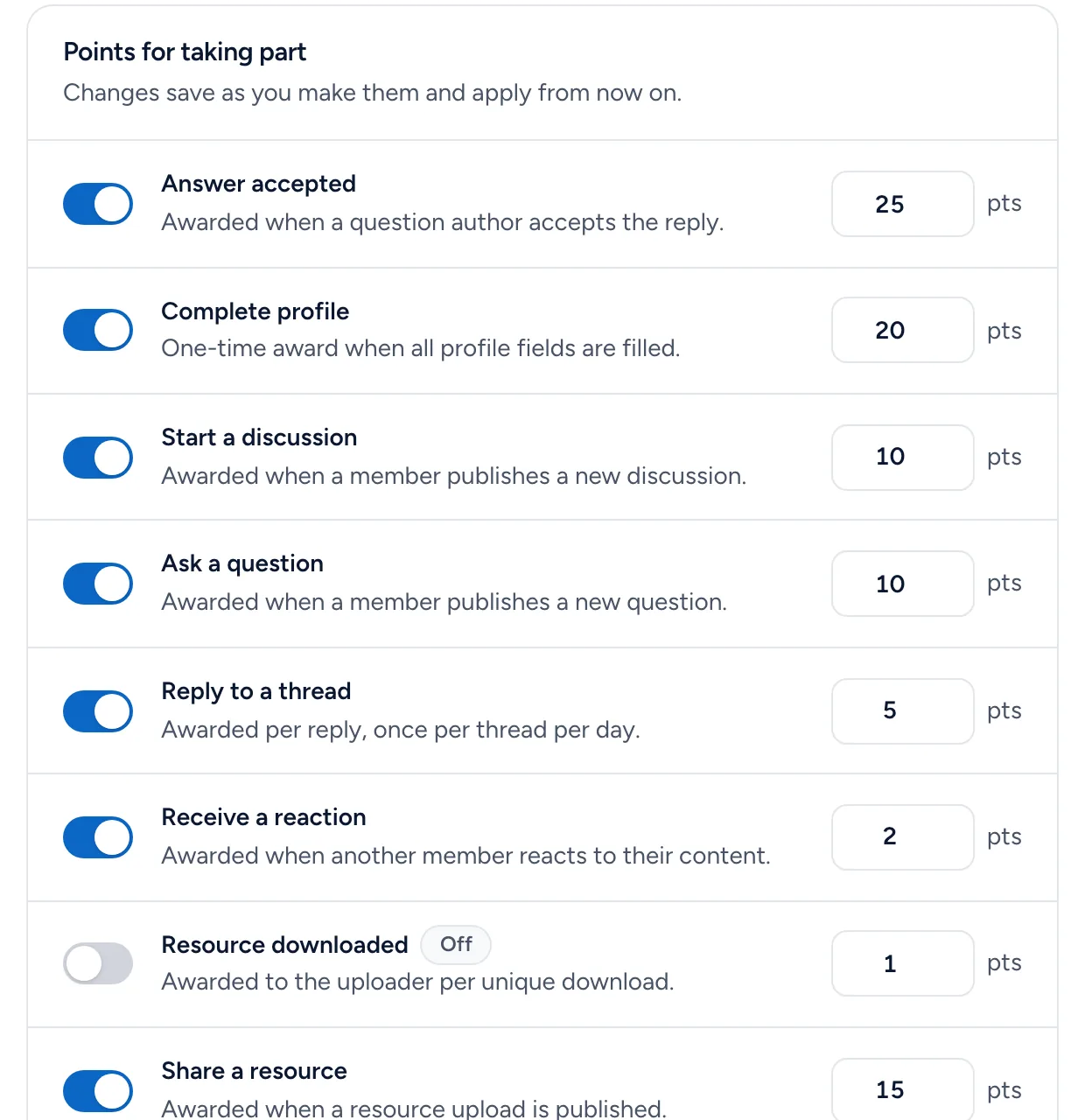
Eight kinds of contribution can earn points, from posting a question to having an answer accepted. Administrators set the value of each and can switch any of them off. Replies earn points once per discussion per day, so a long back-and-forth is not rewarded more than one good answer.
- A value for each kind of contribution, set by you
- Any rule can be switched off
- Every change is recorded
Ribbons
Ribbons for the moments that matter
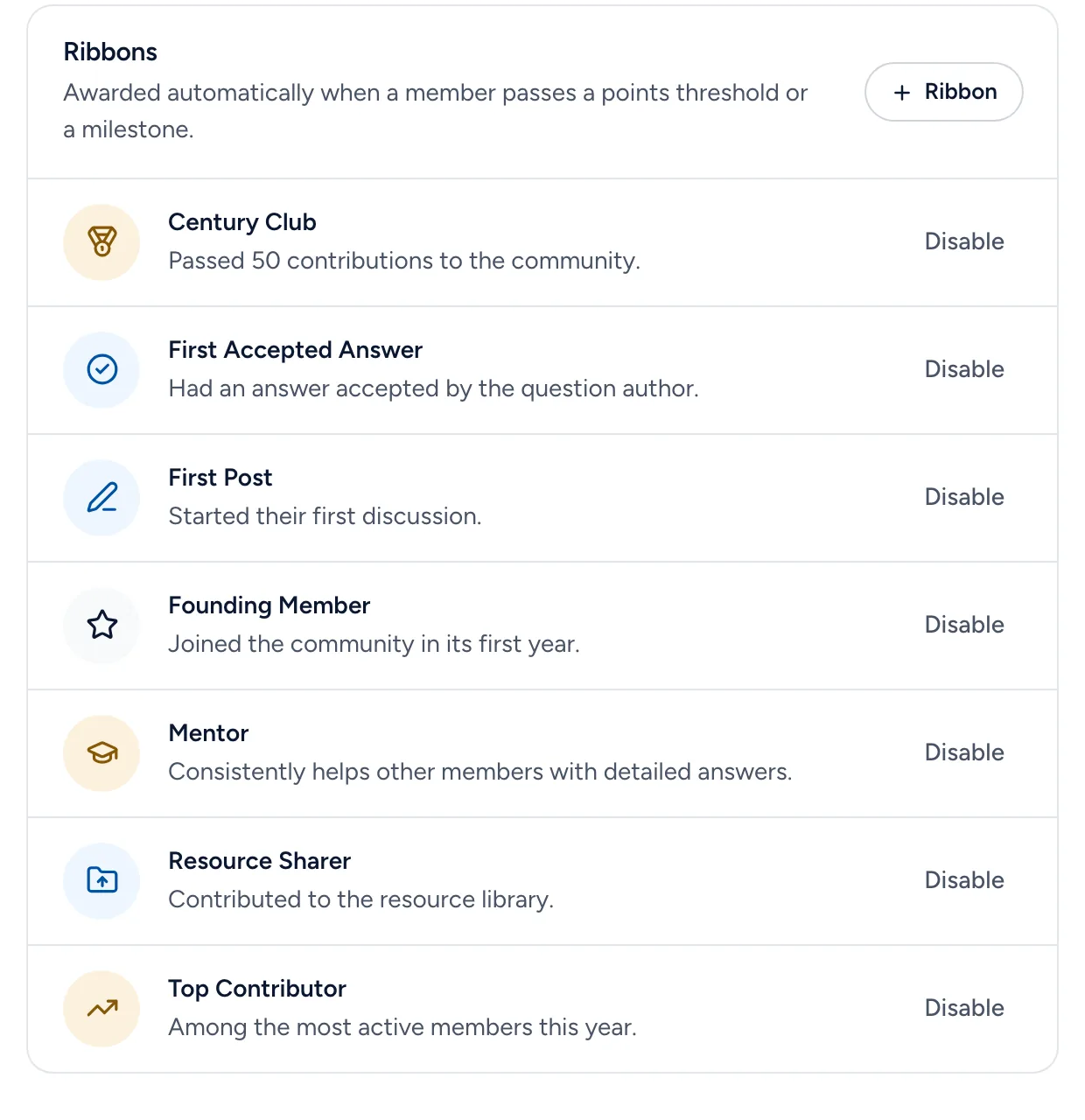
A ribbon is earned automatically when a member reaches a points total or a number of contributions, such as a first post, a first accepted answer or three files shared. You can add your own, each with a name, an icon and a rule. Ribbons appear on the member’s profile and are kept for good.
- Seven ribbons to start with, and your own
- Earned by points, or by a count of contributions
- The member is told when they earn one
For members
A leaderboard members can leave
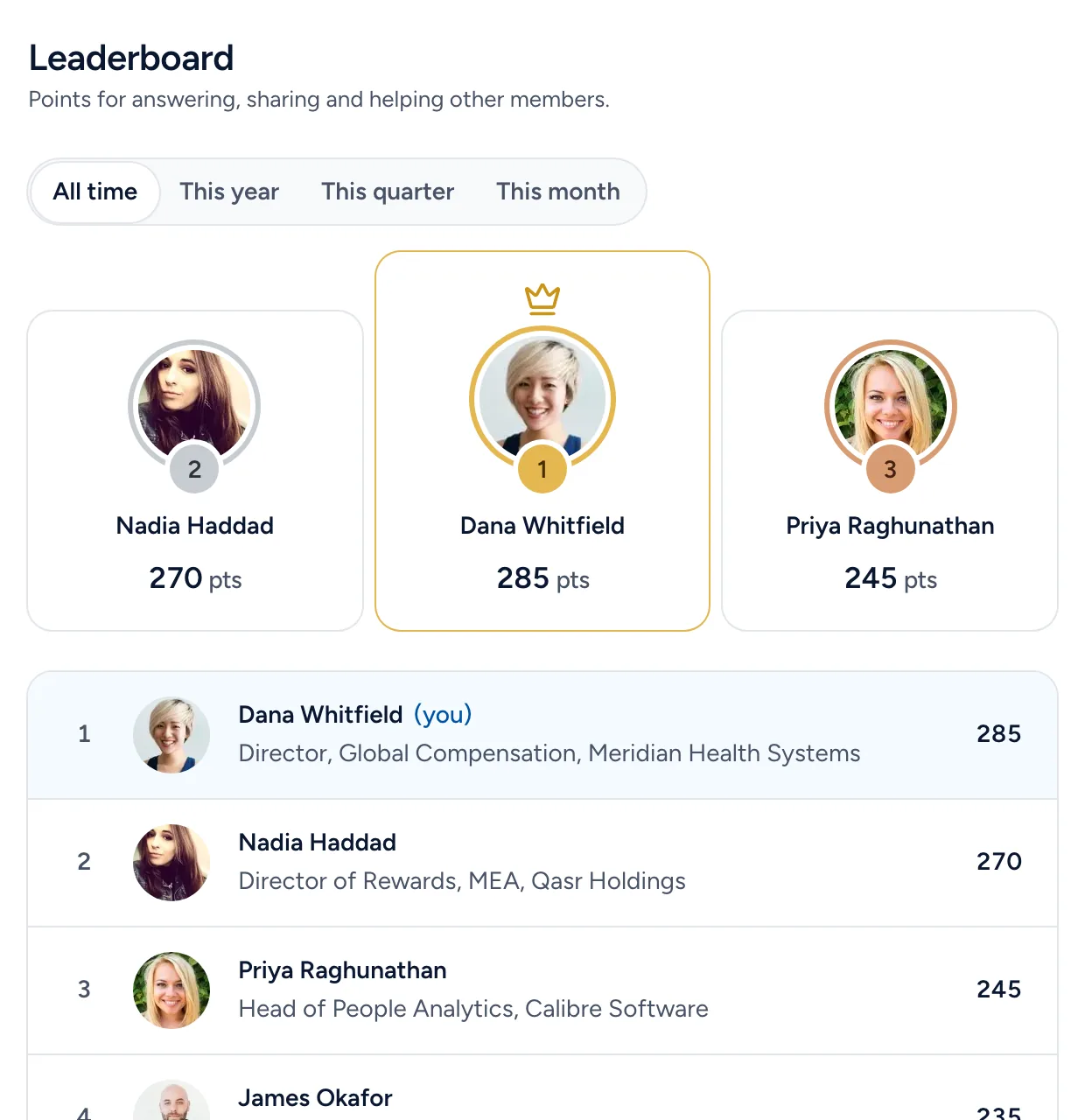
The leaderboard shows the top contributors and where each member stands, with how many points they need to pass the person above. Any member who would rather not be ranked can hide themselves from it and still earn points and ribbons.
- This month, this quarter, this year or all time
- Your own rank, and the points needed to move up
- One setting to stay off the leaderboard
See it with your own association’s name on it
We set up a demo for you and answer your questions. Or open the live demo and look around on your own.
In detail
What is included
For members
Points
A member’s points are shown on their profile.
Ribbons
Ribbons appear on the profile and the leaderboard, and are kept for good.
Leaderboard
The top fifty are shown for each of four periods, with your own rank.
Opt out
Stay off the leaderboard and still earn points.
For your staff
Point values
Change what each contribution earns, or switch it off.
Your own ribbons
Give each a name, an icon, a colour and the rule that earns it.
Taken back fairly
Points for a removed post are taken back, and returned if it is restored.
Change record
Every change to a rule or ribbon is recorded, with who made it.
How it differs from simple post counts
Counting posts rewards whoever posts most, when a professional community wants to reward the members who help most.
What is rewarded
A post count or basic badges
Any post, equally
One Roof
Each kind of contribution, at a value you set
A solved question
A post count or basic badges
Counts as one more post
One Roof
Worth the most, by default
Removed posts
A post count or basic badges
Still counted
One Roof
Points taken back
Self-rewarding
A post count or basic badges
Often possible
One Roof
Own reactions, answers and downloads earn nothing
Members who dislike rankings
A post count or basic badges
Listed anyway
One Roof
Can leave the leaderboard
Questions
What teams ask about it
What earns points?
Seven things, each at a value you set:
- Starting a discussion
- Asking a question
- Replying
- Having an answer accepted
- Receiving a reaction from another member
- Sharing a file
- Completing a profile
Points for each download of a shared file are also available, but switched off to begin with.
Can we change the point values?
Yes. Administrators set the value of each kind of contribution and can switch any of them off. New kinds of contribution cannot be added. A change applies from then on; points already earned stay as they are.
Can staff award a ribbon by hand?
No. Ribbons are earned automatically, from a points total or a count of contributions. You can create your own ribbons with their own rules.
Can a member opt out?
A member can hide themselves from the leaderboard with one setting. They still earn points and ribbons, and these still show on their own profile.
Are there levels or ranks?
No. There are points, ribbons and a leaderboard, but no levels. Members do not see a history of each point earned.
Is this the same as recertification credit?
No, they are separate. Points are for recognition, while recertification credit has its own rules and limits. The same contribution, such as an accepted answer, can earn both.