Polls
Ask your members a quick question and see how each group answered.
- One answer or several
- Results by member type, region and industry
- Anonymous unless members are told otherwise

An answer within days
A poll takes a minute to write and a click to answer. It sits in the community members already use, where it reaches more of them than a survey link does.
See how each group answered
Because One Roof knows who each voter is, it can show how the answers differ by member type, region or industry. A survey tool gives one total.
Members answer honestly
Before voting, a member is told who will see their answer. Unless the poll says otherwise, nobody is shown how anyone voted, staff included.
The breakdown
How each part of your membership answered
Each poll’s answers are split by member type, region and industry. Staff can see this breakdown at any time, and members can see it as well once the poll has closed.
- By member type, region or industry
- For staff at any time, for members once it has closed
- Groups of fewer than five voters are combined
Privacy
Members know who will see their vote before they cast it
Every open poll says one of two things under its options: that nobody is shown how anyone voted, or that staff can see who chose what. The person writing the poll decides. In an anonymous poll, small groups are combined in the breakdown, so no line of it can be one member’s answer.
- Anonymous unless the poll says otherwise
- The voter is told before they vote
- Other members never see how anyone voted
For your staff
Every poll and its results in one place
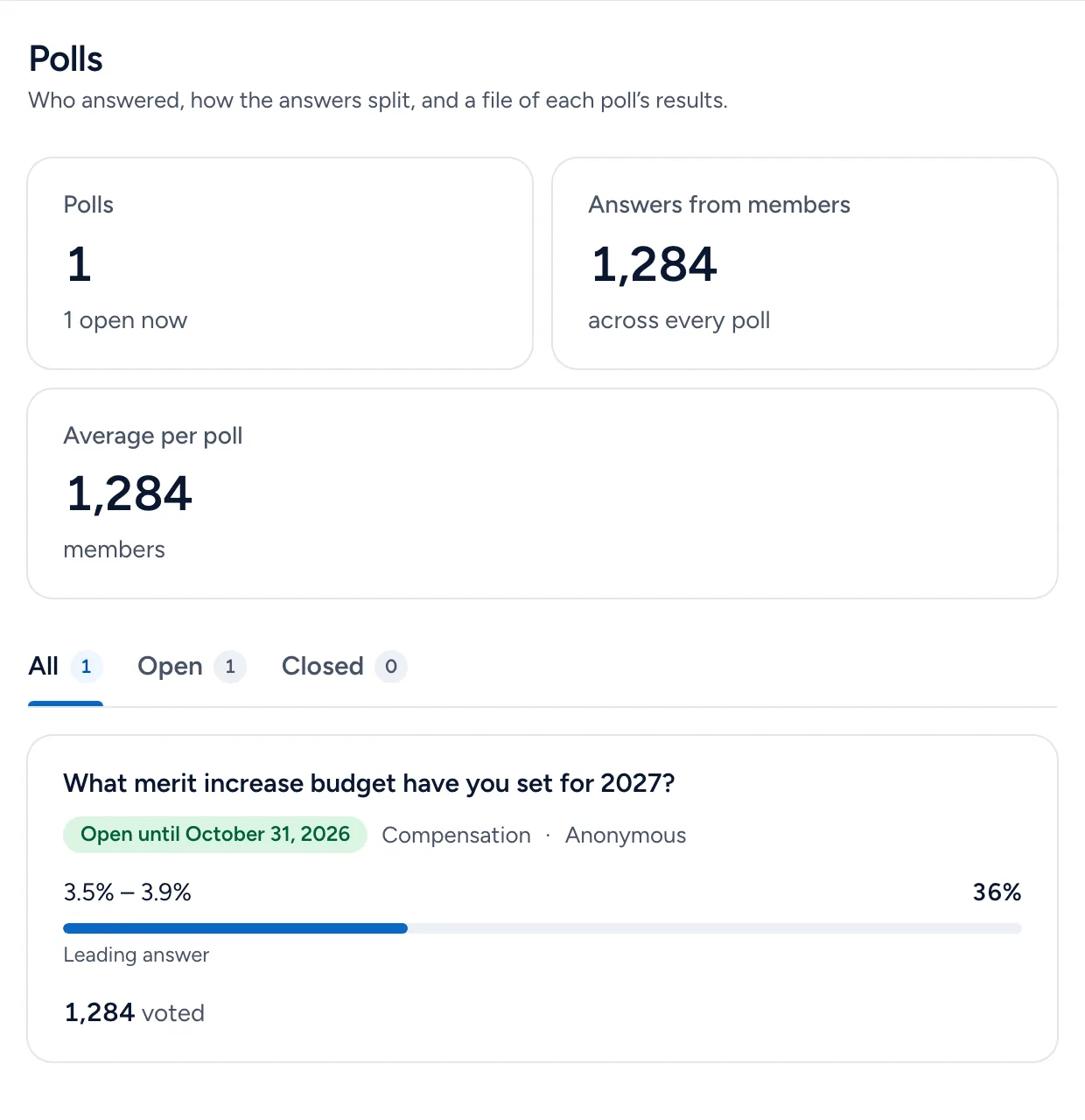
Staff see every poll in the community: which are open, how many members answered, and each poll’s results with all three breakdowns. Any poll’s results can be downloaded as a CSV file.
- All polls, open and closed
- Results with every breakdown on one page
- Download any poll as a CSV file
See it with your own association’s name on it
We set up a demo for you and answer your questions. Or open the live demo and look around on your own.
Step by step
How it works
From a question to a result you can use.
- 1
Write the question
Two to ten options. Choose whether members pick one or several, and set a closing date if you want one.
- 2
Members vote
In one click. They see the results once they have voted, and can change their mind while the poll is open.
- 3
The poll closes
On its date, or when its author or your staff close it early. It can be opened again.
- 4
Read how groups differ
By member type, region or industry, on the poll and in a file for staff.
How it differs from a survey link
A link to a survey tool goes out by email and few people answer it. It also tells you nothing about who answered.
Where members answer
A survey tool link
On another site, from an email
One Roof
In the community, in one click
Who answered
A survey tool link
Unknown, unless you ask more questions
One Roof
Split by member type, region and industry
One vote each
A survey tool link
Anyone with the link, any number of times
One Roof
Signed-in members, once each
Privacy
A survey tool link
Explained in a paragraph, if at all
One Roof
Said under the options, before voting
After the result
A survey tool link
A report nobody discusses
One Roof
A discussion under the poll
In detail
What is included
For members
One answer or several
A poll has two to ten options, and the author chooses how many may be picked.
Change your vote
Move it, add to it or take it back while the poll is open.
Results after voting
Results are hidden until a member votes, so early results do not sway later voters.
A page of polls
One page lists every open and closed poll a member can see.
For your staff
Breakdowns
Results are split by member type, region and industry.
Close and reopen
The poll’s author or staff can do either, before or after its date.
Export
Totals and every breakdown can be exported as a CSV file.
Webhook
A message goes to your own systems when a member votes.
Questions
What teams ask about it
Who can create a poll?
Any member who is allowed to post in a space can start a poll there. Your staff can do the same, and can close or reopen any poll.
Are polls anonymous?
By default, yes: nobody, staff included, is shown how an individual voted. The person creating a poll can choose to let staff see who chose what, and then every voter is told so before they vote. Other members never see individual votes.
Who can see the breakdown by group?
Staff can see it at any time. Members can see it once the poll has closed, so the split cannot influence people who have not voted yet.
Why are some groups combined?
A group is shown on its own only when at least five of its members voted. Smaller groups are combined, so that a line of the breakdown cannot reveal one member’s answer.
Where do member type, region and industry come from?
Member type comes from your membership data, and region and industry from each member’s profile. A voter with no region or industry is counted under “Not given”.
Can a poll have several questions?
No. A poll is one question with two to ten options, meant for a quick reading.