Events
One-click event registration inside the community.
- One-click registration
- Waiting lists that move by themselves
- Attendance on record

Events are part of the community
An event is announced, discussed and registered for in the community, by members who are already signed in. That means no second website and no separate list to match up afterwards.
Waiting lists are handled for you
Members join a waiting list once an event is full. If someone cancels or you add seats, the next person in line gets the place and is told.
Members are kept up to date
Registered members get a reminder the day before. If the time, venue or joining link changes, or the event is cancelled, they are told what changed.
Step by step
How it works
From setting up the event to recording who attended.
Step 1
Set up the event
Choose online, in person or both, the time zone it happens in, who can come, how many seats there are, and a price if it has one.
Step 2
Members register
A signed-in member registers in one click, or pays at checkout for a paid event, or joins the waiting list if it is full.
Step 3
Reminders and changes reach them
A reminder the day before, and a notice if anything about the event changes.
Step 4
Record who came
Mark each registration attended or a no-show, on the day or after.
Registration
A waiting list that works by itself
Once an event is full, the button changes to “Join waitlist”. When a seat becomes free, the member who has waited longest is registered and told, without your staff doing anything.
- Capacity set for each event, or none
- Seats given in the order members joined the list
- Adding seats moves waiting members in
On the day
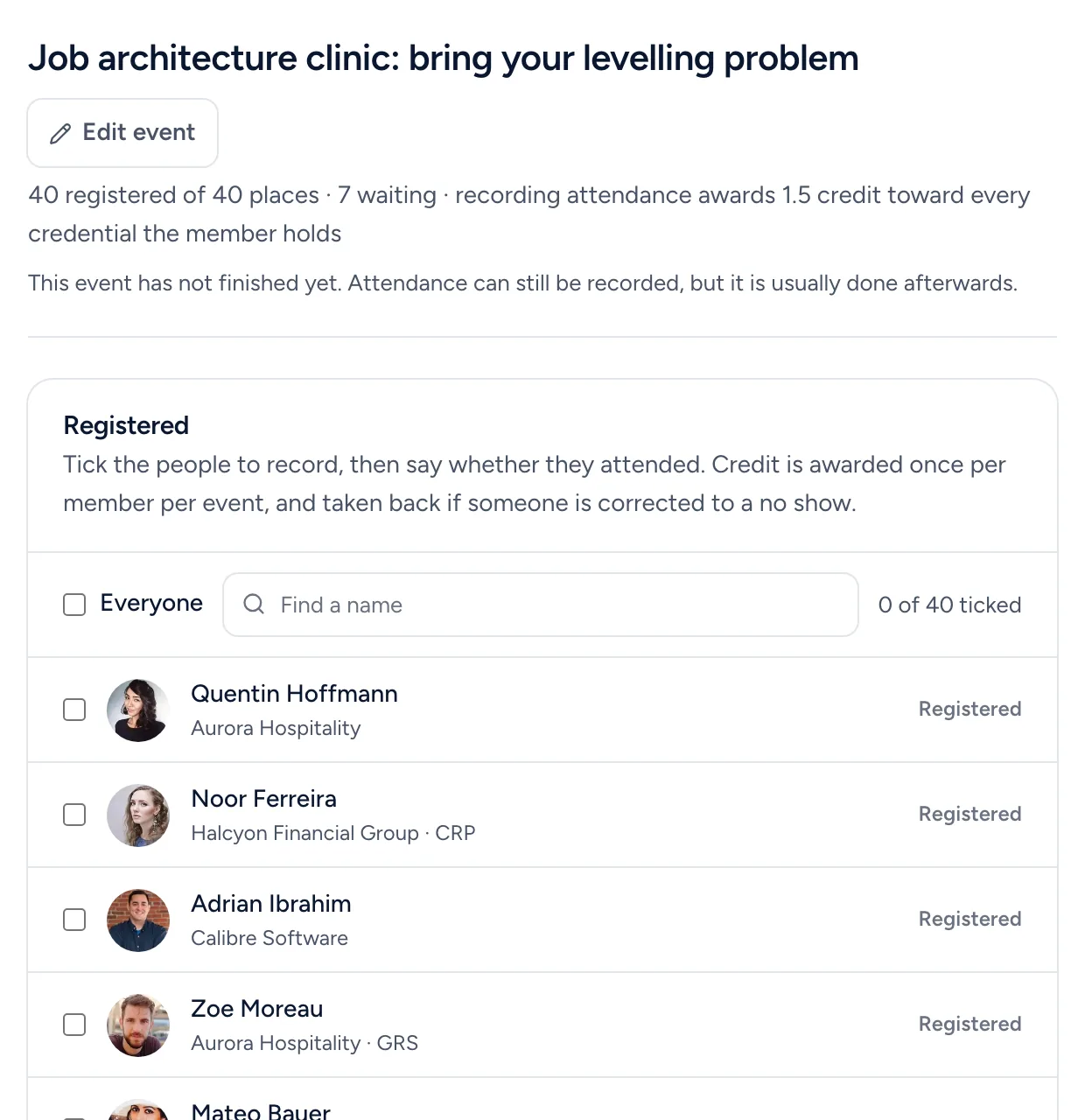
Record attendance once
Staff tick who attended, once. From that one record, members who attended get their recertification credit, the event counts in the board report, and the credit earned is sent to your own systems.
- Attended or no-show for every registration
- Credit awarded to those who attended
- Registrations sent to your systems by webhook
Chapters and committees
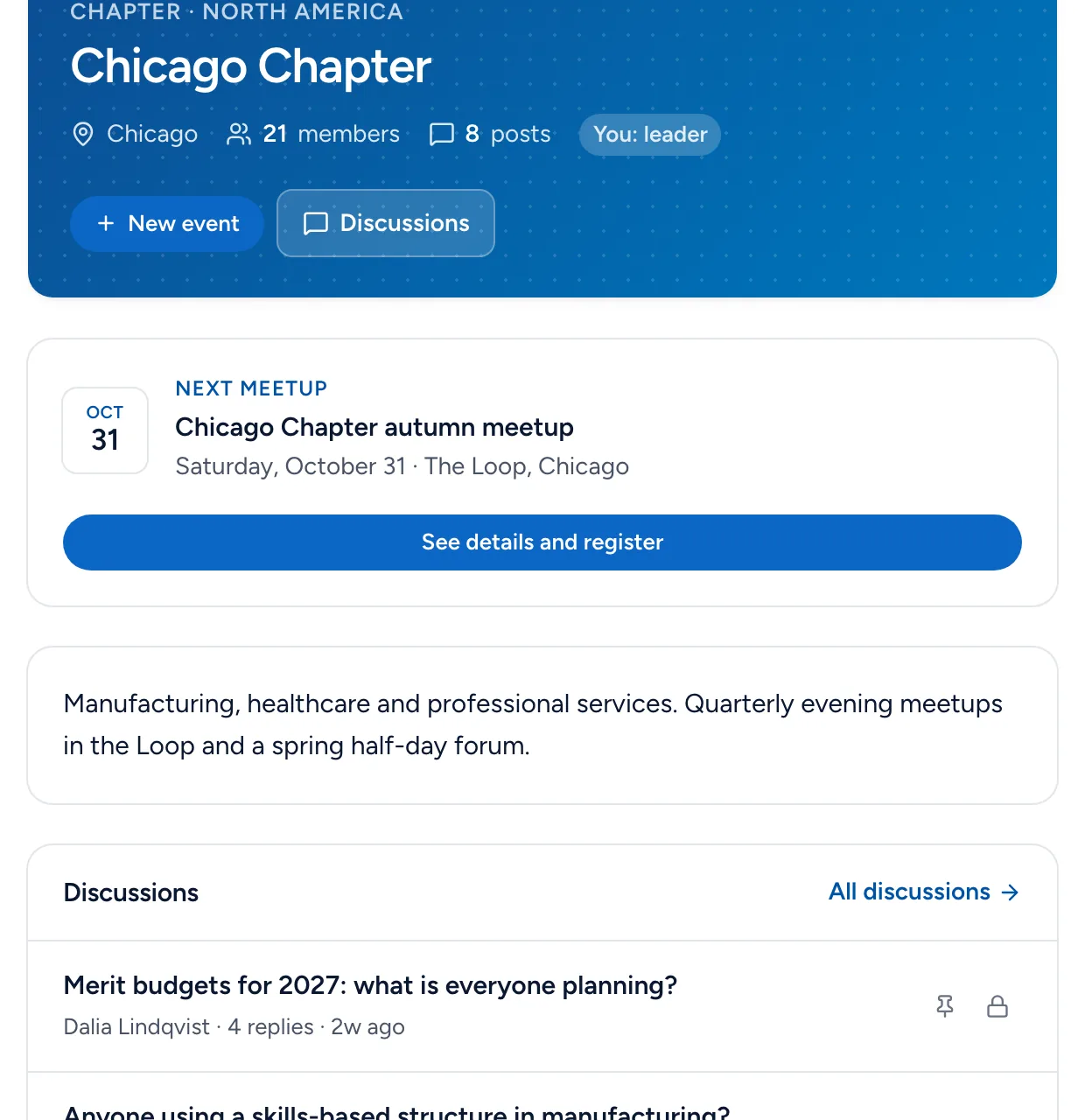
Events for one chapter or committee
An event can belong to one space, such as a chapter, and be shown only to its members. The chapter’s own leaders can set it up, without asking staff. Everyone sees the annual forum, while a chapter meeting is seen only by that chapter.
- Set up by staff, or by the group’s own leaders
- Restricted to a group, or open to all members
- Open to visitors too, when you want new faces
See it with your own association’s name on it
We set up a demo for you and answer your questions. Or open the live demo and look around on your own.
In detail
What is included
Setting up
Any format
An event can be online with a joining link, in person with a venue, or hybrid.
Time zones
You set the time in the zone the event happens in, and it is shown correctly to everyone.
Who can come
An event can be open to visitors as well as members, to all members, to paying members only, or to one group.
Capacity
Set a limit on seats, and a waiting list opens once it is full.
Paid events
Member and non-member prices
Set two prices on an event. Members pay at Stripe’s checkout, and their seat is held while they do.
Paid to your own account
Payments go into your association’s own Stripe account. Stripe’s standard fees only: One Roof takes nothing on top.
Refunds
Cancelling before your cut-off refunds in full, and cancelling the event refunds everyone. Administrators can refund a ticket in full from the orders page, and part refunds are made in Stripe.
Waiting lists for paid events
When a seat opens, the first in line has a day to pay for it before it passes to the next.
Running it
Reminders
Registered members get one reminder, the day before.
Change notices
A new time, venue or link, or a cancellation, is sent to everyone registered.
Attendance
Each registration is marked attended or no-show.
Credit
Recertification credit for attending is awarded automatically.
How it differs from a separate event tool
A separate registration tool means another login, another list, and a conversation that stops when the event ends.
Registering
A separate event tool
A form, often with a new login
One Roof
One click, already signed in
Paying
A separate event tool
A checkout on another site, and a list to match up
One Roof
Stripe checkout, and the member is registered as soon as they have paid
A full event
A separate event tool
A manual waiting list
One Roof
The member who has waited longest gets the next seat
When something changes
A separate event tool
An email somebody has to remember to send
One Roof
Everyone registered is told what changed
Who can register
A separate event tool
Anyone with the link
One Roof
By member type or group, from your membership data
After the event
A separate event tool
The conversation ends
One Roof
It carries on in the same community
Questions
What teams ask about it
Can we charge for events?
Yes. Give an event a member price and a non-member price, and members pay at Stripe’s checkout into your association’s own Stripe account. One Roof takes no fee on top of Stripe’s. Ticket income, less refunds, is counted in the board report.
What about refunds?
You set a refund cut-off for each event. A member who cancels before it is refunded in full, and if you cancel the event everyone is refunded. Administrators can also refund a ticket in full from the orders page; a part refund is made in your Stripe dashboard and recorded here.
What happens when an event is full?
Members join a waiting list. When a seat becomes free, or you add seats, the member who has waited longest is registered and told.
Can an event be limited to some members?
Yes. An event can be open to visitors, to all members, or to paying members only, or restricted to one group such as a chapter or committee.
Are members told if an event changes?
Yes. If the time, the venue or the joining link changes, registered members are told what changed. If the event is cancelled, those registered and those waiting are told.
Can a chapter have its own events?
Yes. An event can belong to a chapter or committee’s space and be restricted to its members. A group’s leaders can set up events for their own group, without staff.
Does attending count towards recertification?
It can. Once you set the credit an event earns, members marked as attended are awarded it.