Sponsorship
Sponsor revenue from your community and reports sponsors can trust.
- Four places to appear
- Views and clicks counted honestly
- A report for every sponsor

Earn revenue from your community
Sponsor placements let you earn non-dues revenue from the community, without an ad network or an agency.
Numbers sponsors can trust
Views and clicks by your own staff are not counted, so the figures a sponsor sees are not inflated by the people who run the community.
Always clearly labelled
Every placement is marked as sponsored. Members can always tell what comes from the community and what comes from a partner.
For the sponsor
A report that helps sponsors renew
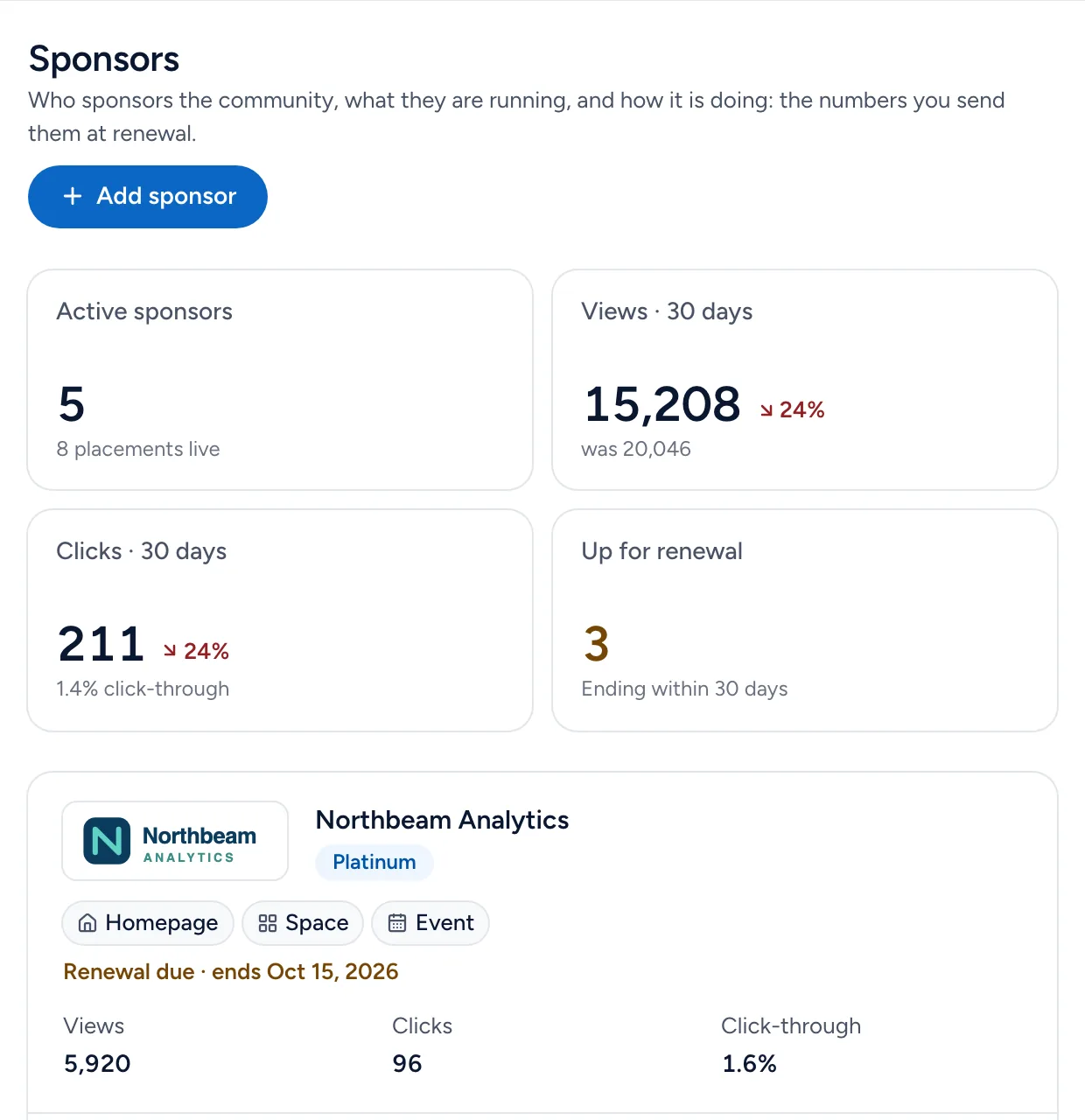
Each sponsor has a report showing how often their placements were seen and clicked, day by day, for any period you choose. Download it as a CSV file to send to the sponsor, or to use when discussing renewal.
- Views, clicks and click rate by placement
- Any period, day by day
- Your own staff’s views and clicks left out
For your team
Sponsor revenue on the board report
When you record what each sponsor paid for a placement, the total is added up for you. Sponsorship is shown on the board report as revenue from the community, next to what the community costs.
- What each placement was sold for, on record
- Placements ending within 30 days, flagged
- A partners page listing every sponsor
See it with your own association’s name on it
We set up a demo for you and answer your questions. Or open the live demo and look around on your own.
Step by step
How it works
From adding a sponsor to sending them a report.
- 1
Add the sponsor
Name, logo, a line about them and their tier.
- 2
Give them a placement
On the homepage, in one space, on one event or in the digest, between two dates.
- 3
Members see it marked as sponsored
When more than one sponsor shares a place, they take turns fairly.
- 4
Send the report
Views, clicks and click rate for any period, on screen or as a file.
How it differs from banner ads
Banners are ignored by members and their numbers doubted by sponsors. One Roof sponsorship is built for a professional community.
Where it appears
Banner advertising
Wherever there is room
One Roof sponsorship
Where it is relevant: a space, an event, the digest
How it looks
Banner advertising
An image in a box
One Roof sponsorship
A labelled message in the community’s own style
What is counted
Banner advertising
Every load, your own staff included
One Roof sponsorship
Your audience, with staff left out
What the sponsor gets
Banner advertising
A total at year end
One Roof sponsorship
A report for any period, as a file
What you can tell the board
Banner advertising
A line in the accounts
One Roof sponsorship
Revenue through the community, on the board report
In detail
What is included
Placements
Homepage
A sponsor block on the community’s home page.
A space
Next to the discussions of one subject or chapter.
An event
On an event’s page, for its sponsor.
The digest
In the email members receive about what they follow.
Running it
Tiers
Platinum, gold and silver sponsors are shown on the partners page.
Dates
Each placement has a start and an end, and those about to end are flagged.
Fair rotation
Sponsors sharing a place are shown in turn.
Reports
Reports by sponsor and period are on screen and can be exported as a CSV file.
Where can a sponsor appear?
In four places:
- On the community’s home page
- In a particular space
- On a particular event
- In the digest email
Each placement has a start date and, if you wish, an end date.
How are views and clicks counted?
Each time a placement is shown or clicked. Views and clicks by your own staff are left out, which keeps the people who run the community from inflating the figures.
Do members know it is sponsored?
Yes, always. Every placement is labelled as sponsored. A partners page lists who sponsors the community.
What if two sponsors want the same place?
They share it and are shown in turn, which gives each a fair share of views.
Do you take payment from sponsors?
No. You invoice sponsors as you do now. Record what each paid against their placement and the board report adds it up.
Can a sponsor see their own report?
Your staff see it and can send it as a CSV file. Sponsors do not have a login of their own.