Member value
How to build a member resource library members actually use
How to build an association member resource library: what to put in it, real examples from SHRM, AICPA, ISTE+ASCD and ASAE, organizing it the way members look, making search work, letting members share, copyright, keeping it current, accessibility, and what to measure.
 Boopesh MahendranCo-founder, One Roof7 min read
Tap the picture to see it at full size.
In this article⌄
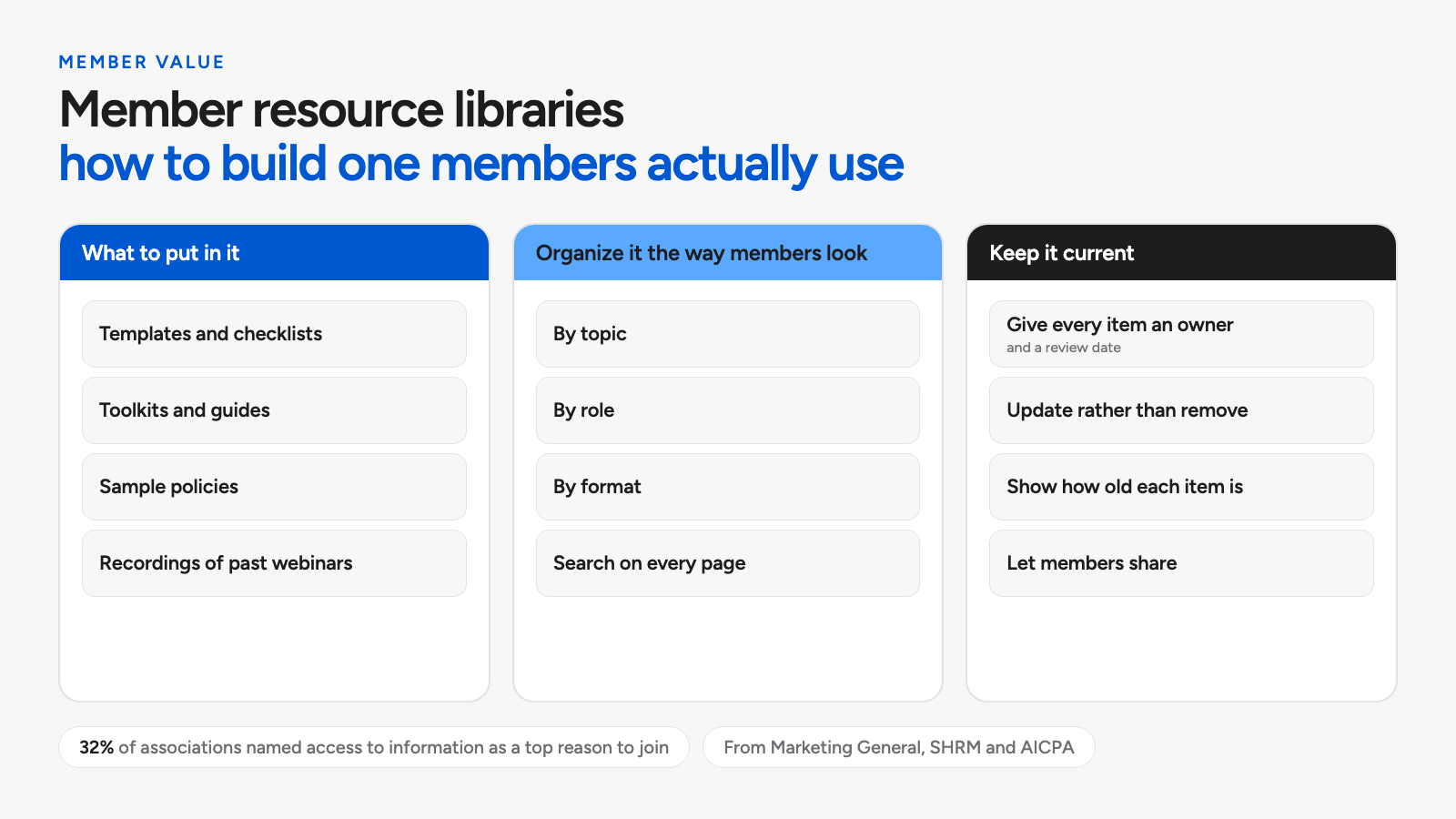
Members come to associations for practical help at work. In Marketing General’s 2024 benchmarking report, association staff named access to specialized or current information among the top three reasons members join (32%), along with learning best practices (29%). At trade associations, information came up even more often, at 40%. Associations whose membership grew were more likely to name information as a reason people join.
A resource library helps when members can find what they need in it. This guide covers what to put in it, organizing it, search, letting members share, copyright, keeping it current, accessibility, and what to measure.
What to put in it
The most useful resources save members time on a task they face at work. Some examples:
- SHRM’s HR tools and samples include more than 1,000 customizable job description templates, along with toolkits, how-to guides, policies, forms, checklists and interview questions. They are for members only.
- The AICPA’s Tax Section publishes an annual tax compliance kit with more than 50 resources, such as engagement letters, organizers and checklists. It is updated each year, and kits from earlier years are kept as an archive.
- ISTE+ASCD, the education technology and teaching association, offers its members 16 topic guides, each gathering articles, webinars and podcasts from ISTE+ASCD and its EdSurge news site on one subject in an easy-to-digest format.
- ASAE’s sample documents, which ASAE describes as “shared by your industry colleagues that you can adopt or adapt,” are now among the members-only templates on Associations Now, such as a member onboarding toolkit.
- The National Association of Counties runs a reference library of policies, job descriptions, toolkits and best practices for county technology leaders.
Recordings of past webinars, research reports and salary data belong in the library too.
Organize it the way members look
Members look for resources in different ways, so give them more than one route:
- By topic. ASAE groups its templates into areas such as governance, membership, fundraising and meetings.
- By role. ISTE+ASCD has guides for administrators, librarians and higher education. Associations Now, ASAE’s content site, sorts its articles and videos by audience, such as executive leadership or early career.
- By format. SHRM sorts its tools into types, such as toolkits, policies, forms and checklists.
Give each item a title that says what it is, and a one-line description. Nielsen Norman Group advises that summary text “should convey the gist of that information source.” People decide quickly whether a page is worth their time.
Make search work
Many people search first. In 1997, Jakob Nielsen found that “more than half of all users are search-dominant,” and in 2001 he advised making search available from every page, since “you cannot predict where users will be when they decide they are lost.” When he put a search box on his own site’s home page in place of a link, use of search rose by 91%.
Search has to succeed the first time. In a separate Nielsen Norman Group study of people shopping online, almost half of users whose first search failed gave up immediately. Nielsen Norman Group notes that searches with no results often happen “when the content exists, but for some reason doesn’t show up as a match for their query.” A clearer title or a few tags often fixes it.
So review the searches that found nothing, every month. Each one shows you something members wanted: a resource to add, or one to retitle.
Let members share
Members have templates and documents worth sharing. In the Society of Petroleum Engineers’ community, files attached to discussion posts go into the community library automatically, and members can add tags so others find them.
People share for their own reasons. A 2005 study of one online professional network by Molly Wasko and Samer Faraj found that people contribute “when they perceive that it enhances their professional reputations, when they have the experience to share, and when they are structurally embedded in the network,” meaning well connected to others in it. So show who shared each file, and thank contributors in public.
Copyright
Ask contributors to confirm they may share what they upload. Copyright exists automatically from the moment a work is fixed in a tangible form, and a work made for hire belongs to the party that hired its creator. A template a member wrote as part of their job may belong to their employer.
For resources the association publishes, a Creative Commons license tells members what they may do. The CC BY license, for example, lets others adapt and share the material, as long as they credit the creator.
Keep it current
Up-to-date resources keep members’ trust. In a conversation on Digital.gov, two US government content designers describe checking every page in an audit for content that is “redundant, outdated, or trivial.” 18F, a US government digital team, suggested in its content guide, now archived, reviewing everything once a year, or a section or two at a time, and checking how content is used before removing it.
Some practices to adopt:
- Give every item an owner and a review date.
- Update rather than remove when a resource is still useful. GOV.UK, the UK government’s website, advises that guidance “should usually be updated rather than withdrawn.”
- Show how old each item is. The templates on Associations Now are labeled with their age, such as “Over 2 years old.”
- Refresh yearly resources on a schedule, as the AICPA does with its tax kit, and keep earlier editions as an archive.
Make documents accessible
Every member should be able to use the library. Section508.gov has guidance and videos on making Word documents and PDFs accessible. The UK Government Digital Service recommends web pages over PDFs, and where a PDF is needed, publishing it alongside a web version.
For each file, use real headings, add alt text to images, and write link text that says where the link goes.
What to measure
- Downloads of each resource.
- Searches with no results, and the most common searches.
- How many resources were opened in the past year.
- Files shared by members each month.
- Items past their review date.
Our guide to member benefit ideas covers other benefits members value.
Where One Roof helps
- Resource library: files are kept next to the discussions they came from, in each space, and are seen by whoever may see that space. Every upload is checked for viruses, and downloads are counted.
- Search: one search covers discussions, files and people. The AI assistant reads inside PDF, Word, PowerPoint and Excel files, so its answers can draw on your documents.
- Reporting: searches with no results are listed for staff, so you can see what members looked for and fill the gaps.
Questions about member resource libraries
What should an association resource library include?
Resources that save members time at work: templates, checklists, toolkits, sample policies, guides, research, salary data and recordings of past webinars.
How should a resource library be organized?
By topic, by role and by format, so members can look in the way that suits them, with a clear title and one-line description for each item, and search on every page.
Should members be able to add their own resources?
Yes. Members often have the most practical templates. Ask them to confirm they may share each file, show who shared it, and thank contributors.
How often should a resource library be reviewed?
Check the whole library at least once a year, or a section at a time, and give every item an owner and a review date.
Should resources be members only?
Many associations keep most resources for members, as SHRM does with its tools, and share a few samples publicly. The AICPA, for example, keeps its tax compliance kit for Tax Section members, and lets anyone else download a sample S corporation tax return checklist.