AI
Before you put an AI assistant in front of your members
What an AI assistant in a member community does, the nine questions to ask a vendor about sources, permissions and member data, and five tests to run in a demo.
 Boopesh MahendranCo-founder, One Roof9 min read
Tap the picture to see it at full size.
In this article⌄
Every community platform now offers an AI assistant, and most demonstrations of one look the same. Someone types a question and a fluent answer comes back. Nothing in that moment shows whether the assistant is useful or a liability. This article sets out what to ask and how to check the answers yourself.
What an AI assistant in a community does
An AI assistant in a member community answers a member’s question in plain language, using what the community already contains: past discussions, replies and files. Done well, it turns ten years of answered questions into something a member can ask as well as search.
Vendors use “AI” for three different things, and it helps to separate them before any conversation:
- Answering. A member asks a question and gets a written answer. This is the assistant, and the subject of this article.
- Drafting. Help writing a post, a summary of a long thread, a suggested reply.
- Sorting. Work in the background: tagging posts, spotting a question nobody answered, suggesting who might know.
The risks differ. When sorting goes wrong a post is mislabelled, but when answering goes wrong a member is told something false in your association’s name.
Associations are moving quickly on this. ASAE’s State of Associations report, published in March 2026, found AI adoption accelerating, particularly for content creation, while many organisations still face capability gaps and data privacy concerns, as Boardroom reported. The Community Roundtable’s State of Community Management 2026 puts it first among its findings: “AI Is Reshaping Community, but Not Replacing Its Core Value”.
Why it matters more in an association
A consumer forum can shrug off a wrong answer. There are four reasons an association cannot.
- Members act on what they read. A question about a regulation, a pay practice or a clinical procedure has consequences if the answer is wrong.
- Not everything is for everyone. Board and committee spaces, and spaces for paying members, hold things other members must not see.
- Members wrote it. The content is their professional experience, shared with colleagues, and what happens to it next is their business as well as yours.
- Your name is on it. An answer given inside your community reads as the association’s answer.
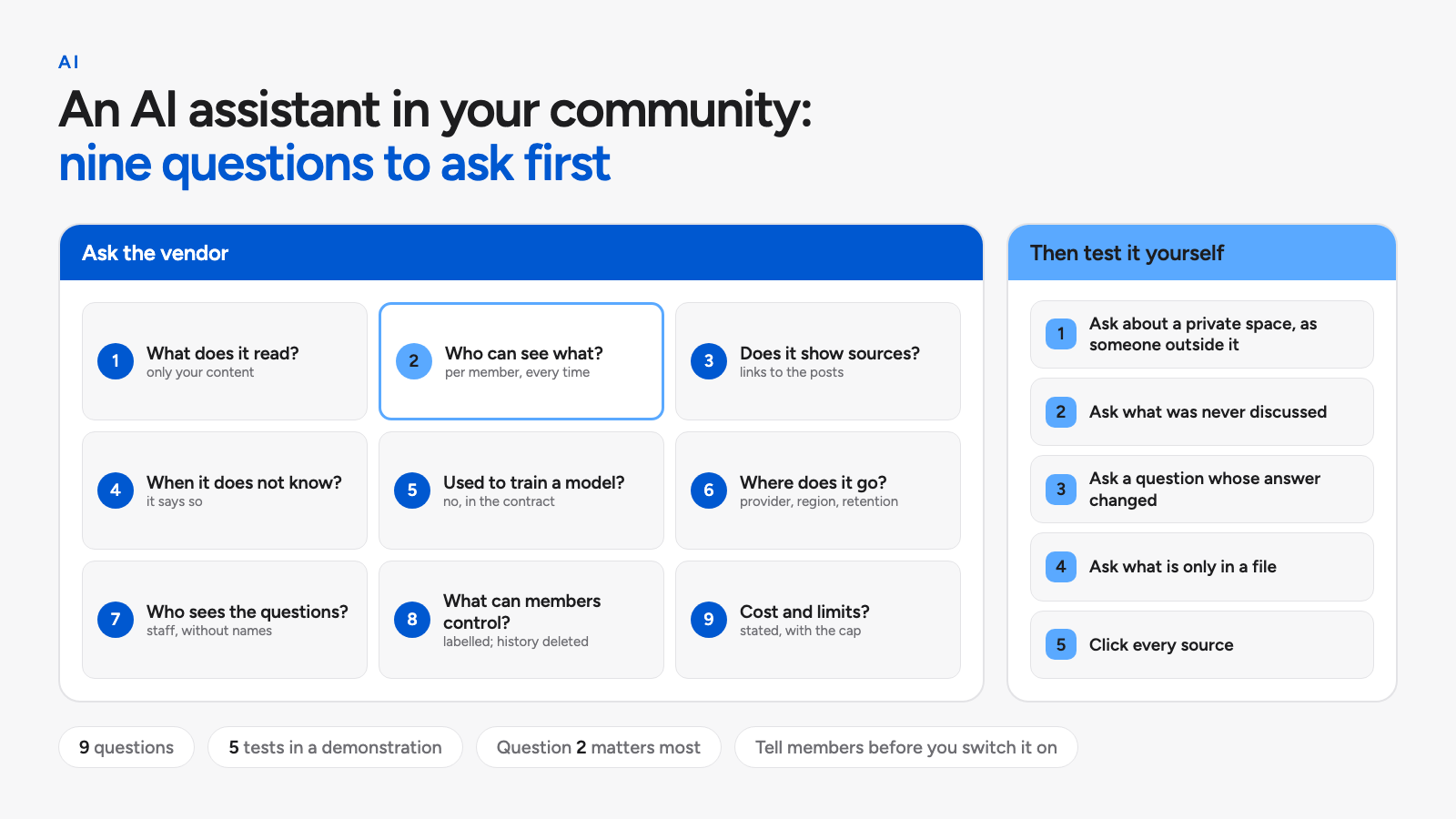
Nine questions to ask a vendor
Put them in writing, and ask that each answer describe the product as it is today.
| Question | A good answer | |
|---|---|---|
| 1 | What does it read? | Only your community’s content |
| 2 | Does it respect who can see what? | Yes, for every question, per member |
| 3 | Does it show its sources? | Each answer links to the posts it came from |
| 4 | What does it do when it does not know? | It says so |
| 5 | Is our content used to train a model? | No, and the contract says so |
| 6 | Where do members’ questions and our content go? | A named provider, a named region, a stated retention period |
| 7 | Who can see what members ask? | Staff see the questions, not who asked |
| 8 | What control do members have? | It is labelled as AI; they can delete their history |
| 9 | What does it cost, and what are the limits? | Stated, with what happens at the limit |
1. What does it read?
An assistant that answers only from your community’s content can be wrong only in the ways your members were. One that also draws on the open internet, or on whatever the underlying model happens to know, will mix your members’ experience with material nobody in your profession has checked. Ask which it is. Ask too whether it reads inside attached files or only the posts.
2. Does it respect who can see what?
Of the nine questions, this one matters most. When a member asks, the assistant should be able to draw only on what that member could open themselves. If it searches everything and then answers, a discussion in the board’s private space can surface, summarised, in an answer to a new member. The confidence will have been broken without anybody doing anything wrong.
3. Does it show its sources?
An answer with links to the posts it came from can be checked, and it sends the member to the colleagues who wrote them. Without sources, the member can only take the answer on trust. Sources also make the assistant better for the community, because the member reads the thread and may add to it.
4. What does it do when it does not know?
The honest reply to a question the community has never discussed is “this has not come up here yet”. A model left to itself will often produce a plausible answer anyway. Ask the vendor what stops it, then test it.
5. Is our content used to train a model?
Ask about two parties, the community vendor and the company whose model the vendor uses. An answer on a call is not enough. Get the answer for both in the contract.
6. Where do members’ questions and our content go?
To answer a question, the relevant posts are sent to a model, usually run by another company. Ask which company, in which region, how long it keeps what it is sent, and whether you would be told if the vendor changed provider.
7. Who can see what members ask?
Members will ask an assistant things they would not post under their name. What is being asked is the best evidence of what members need, and staff need to see it. They rarely need to see who asked.
8. What control do members have?
Members should know they are reading something a machine wrote, be able to say whether an answer helped, and be able to delete their own history. Ask whether the assistant can be switched off for the whole community.
9. What does it cost, and what are the limits?
Every answer costs the vendor money. That cost reaches you one way or another, as a price per question, a higher plan, or a cap. Ask what a member sees when the cap is reached.
Five tests to run in a demonstration
A vendor’s answers are claims until you check them. These tests take ten minutes and turn most of them into evidence. Ask for a demonstration with at least one private space, and two accounts: one that can open it and one that cannot.
- Ask about something that is only in the private space, as the member who cannot open it. The assistant should not know. This is the test of question 2 and the one that matters most.
- Ask about something the community has never discussed. It should say so without inventing an answer.
- Ask a question whose answer changed. If an old thread says one thing and a recent one corrects it, see which the assistant gives, and whether it shows dates.
- Ask something answered only inside an attached file. A policy in a PDF would do, and it shows whether the assistant reads files.
- Click every source. Each should open the post it claims to cite, and the post should say what the answer says it does.
If the vendor will not run the first test live, treat that as the answer.
What it is good for, and what it is not
Good for:
- Finding what is already there. Most questions in a mature community have been answered before, but members seldom search well. An assistant does the searching for them.
- New members. Somebody who joined last week can ask what a ten-year member would know to look for.
- Showing you the gaps. The questions the assistant could not answer are a list of what your members need and your community lacks, and that list is worth as much as the answers.
Not good for:
- Replacing the members who answer. The assistant has nothing to say that a member did not say first. If people stop answering each other, it has nothing to draw on.
- Authoritative advice. It reports what members have said, with no way of knowing whether they were right.
- A quiet community. With little content there is little to answer from. A new assistant on an empty community answers “this has not come up” all day. If yours is quiet, revive it first.
What to tell your members
Say it before you switch it on, in a few plain lines:
- What it reads, and that it only shows a member what they could already open.
- That answers are written by a machine from members’ posts, and may be wrong.
- What staff can see of what members ask.
- Whether their posts are used to train anything.
- How to turn it off for themselves, if they can.
Members who were told in advance will forgive a wrong answer. What they will not forgive is the surprise of finding out afterwards.
How an assistant fails
- Permissions are applied after the search, not before. The answer leaks what the member could not open.
- No sources. Nobody can check an answer. Either nobody trusts it or everybody does.
- Old answers given as current. The 2019 thread wins because it is longer.
- Switched on by default with no announcement. Members find out for themselves that a machine is summarising their posts.
- Bought for the demonstration. It looked impressive on the vendor’s sample content. On yours it has nothing to work with.
- Nobody reads the unanswered questions. The most useful thing the assistant produces goes unread.
What One Roof’s assistant does
One Roof has an assistant. What follows are its answers to the questions above, as far as we can give them here. It answers only from your community’s discussions, replies and the text inside attached files, and only from what the member asking could open themselves. Each answer shows the posts it came from, and when the community has not discussed something the assistant says so. Staff see what members asked and what could not be answered, without the name of who asked. Members can mark an answer as helpful or not and remove their own history. Each member has a daily limit.
On questions five and six: it runs on models hosted in Microsoft Azure, through Microsoft Foundry. Under Microsoft’s terms for that service, your content and your members’ questions are not used to train or improve any model, and are not available to OpenAI or to other customers. Ask us for the region your community’s content is processed in, and have it written into the contract.
What associations ask about AI
Is it safe to use AI in a member community?
It can be, if the assistant only draws on what each member is allowed to see, shows its sources, and your contract says members’ content is not used to train a model. Test the first of those yourself before you rely on it.
Will an AI assistant reduce the number of posts?
It can reduce repeat questions, and that is usually welcome. It should not reduce answers, because it has nothing to say unless members keep answering each other. For that reason, count the members who reply and not the questions.
Can an AI assistant answer from private committee spaces?
For members of that committee it should, and for anyone else it never should. Whether it gets this right is the most important thing to test.
Do we need members’ consent?
That depends on your jurisdiction, your terms of membership and what your vendor does with the content. Ask your own adviser. Whatever the legal position, tell members plainly before you switch it on.
What happens when the assistant is wrong?
A member should be able to say so, and staff should see it. Because every answer links to its sources, the fix is usually made in the community, as a correction posted on the thread the answer came from.
Is an AI assistant worth it for a small community?
Only once there is enough content to answer from. In a new or quiet community the same effort is better spent getting questions answered by people.